
If you want to keep track of weights and print receipts without running back and forth to your scale or printer, a mobile app for weight printer is the solution. It lets you monitor live weights, control printing remotely, and export your data easily. This kind of setup is especially useful in busy shops, warehouses, or weighbridge operations where time and accuracy matter.
Mobile App Features
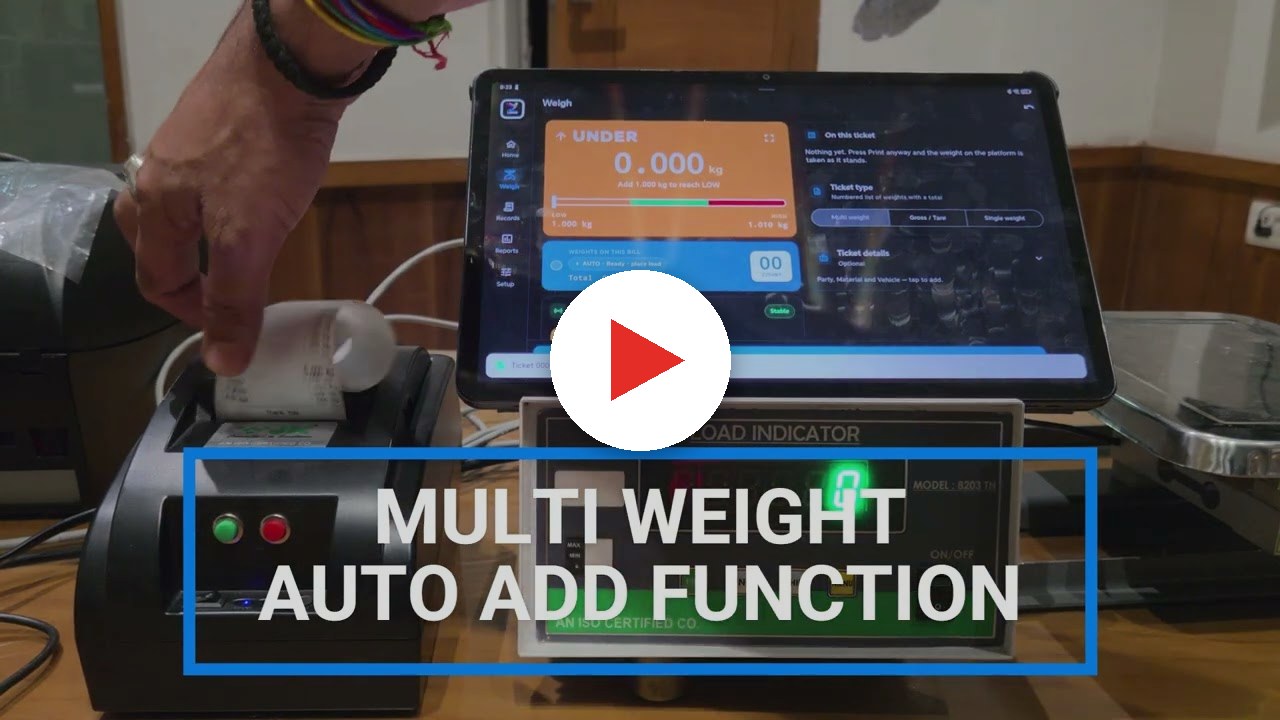
A good mobile app controlled printer offers several features that make weighing and printing smoother. First, you get live weight monitoring on your phone or tablet. This means you see the weight reading as it happens without standing next to the scale. It’s handy in noisy or crowded places like mandis or scrap yards.
The universal thermal printer includes a smart mobile app that also lets you export your records with one click. You can save your weight tickets and reports as Excel or PDF files. This helps you keep digital copies for accounts or audits without extra work.
Another important feature is template customization. You can edit headers, footers, font sizes, and add details like party name, material, or vehicle number. This way, your receipts and reports match your business needs and look professional.
When choosing a mobile app controlled printer, check that the app allows easy editing of templates to suit your specific business requirements. Also, verify that exporting options include formats you commonly use, such as Excel and PDF, to streamline your record-keeping.
Convenience and Efficiency
Controlling the printer remotely means you don’t have to be physically near it to start printing. This saves time and reduces the hassle of moving around, especially in large warehouses or busy kirana shops.
Managing records on the go means you can check past weights, print tickets again, or export data while you’re away from the office. This reduces paperwork and the chance of errors that come from manual note-taking.
With automatic and manual print triggering, you can choose to print receipts as soon as the weight stabilizes or when you want. This flexibility helps speed up operations without sacrificing accuracy.
To make the most of these features, consider how your workflow can be adjusted to take advantage of remote printing. For example, assign staff to operate the app from convenient locations, reducing bottlenecks at the scale or printer.
Data Export and Reporting
The mobile app supports generating detailed reports by day, month, or year. These summaries give you a clear picture of your weighing activity over time, which is useful for stock management and business decisions.
Sharing data is simple since you can export reports as Excel or PDF files with just one click. You can send these files to your accountant, partners, or keep them for your records without extra effort.
Having organized data and reports supports better decision-making. You can spot trends, check batch weights, or verify transactions quickly.
When reviewing reports, look for patterns such as peak weighing times or frequent discrepancies. This insight can help you optimize staffing and improve operational accuracy.
Compatibility and Setup
One of the biggest advantages of this mobile app controlled printer is that it works with any weighing scale via the RS-232 port. You don’t need to worry about brand compatibility or buying new scales.
The universal thermal printer does not require any external hardware, microcontroller, or PC. It has built-in processing, so setup is straightforward and less cluttered.
When setting up, ensure your existing scales have an RS-232 port and that cables are in good condition. Proper connection is key to reliable data transmission between the scale and printer.
See it in action
Support and Maintenance
Remote troubleshooting is available to help you fix issues without waiting for a technician to come onsite. This keeps your weighing and printing running smoothly.
Software updates can be delivered remotely to improve features or fix bugs, so your system stays up to date.
User assistance is part of the package, ensuring you get help when you need it, whether it’s for setup or daily use.
Regularly check for software updates and install them promptly to benefit from improvements and maintain security. Also, keep contact details for support handy in case you need quick assistance.
The universal thermal printer includes a smart mobile app for live weight view, record management, and easy export of reports. This combination makes it a practical choice for industrial and commercial weighing operations.
Frequently asked questions
Can this printer connect to any brand of weighing scale?
Yes, it connects directly via the RS-232 port and is compatible with any brand.
Is external hardware or a PC needed to operate this printer?
No, the printer has built-in processing and does not require external hardware or a PC.
What print modes does the printer support?
It supports single weight, gross/tare/net, and multi-item batch print modes.
Is there a mobile app to control the printer?
Yes, a smart mobile app allows live weight monitoring, template settings, and export of data as Excel or PDF.
If you want to improve your weighing and printing process with remote control and easy data management, consider the universal thermal printer. It offers the features and support that fit well with Indian shops, warehouses, and weighbridge operations. For price on request and more details, feel free to enquire.
About the Author
JB Corporation is a member of the JB Corporation team with expertise in our products and industry solutions.